I Tested RecruitmentOS. Here’s What the Platform Actually Looks Like Inside
Most outreach tools for recruitment agencies give you a contact list and a send button. RecruitmentOS works differently. Instead of reacting to job posts, it finds companies that are about to hire, weeks before a listing goes live.
Your team only talks to a hiring manager after they’ve already said yes to a conversation.
That is the promise. I tested every module in the platform to see what it actually looks like when you open the app.
What RecruitmentOS Is
RecruitmentOS is a done-for-you sales system built for recruitment agencies. The idea is simple: instead of waiting for companies to post jobs, it finds companies that are about to hire, weeks before any job goes live. Your team only talks to a hiring manager after they’ve already said yes to a conversation.
That’s the promise. Here’s what it looks like when you actually open the app.
“Most outreach tools work backwards. They wait for a job post, then help you respond to it.
RecruitmentOS is built to reach companies before the post exists. That difference changes how the whole pipeline works.”
Dashboard
The dashboard gives you a single-screen read on pipeline health. Five KPI cards sit across the top: Total Jobs scraped, Total Leads enriched, Companies, Campaigns run, and Active campaigns right now.
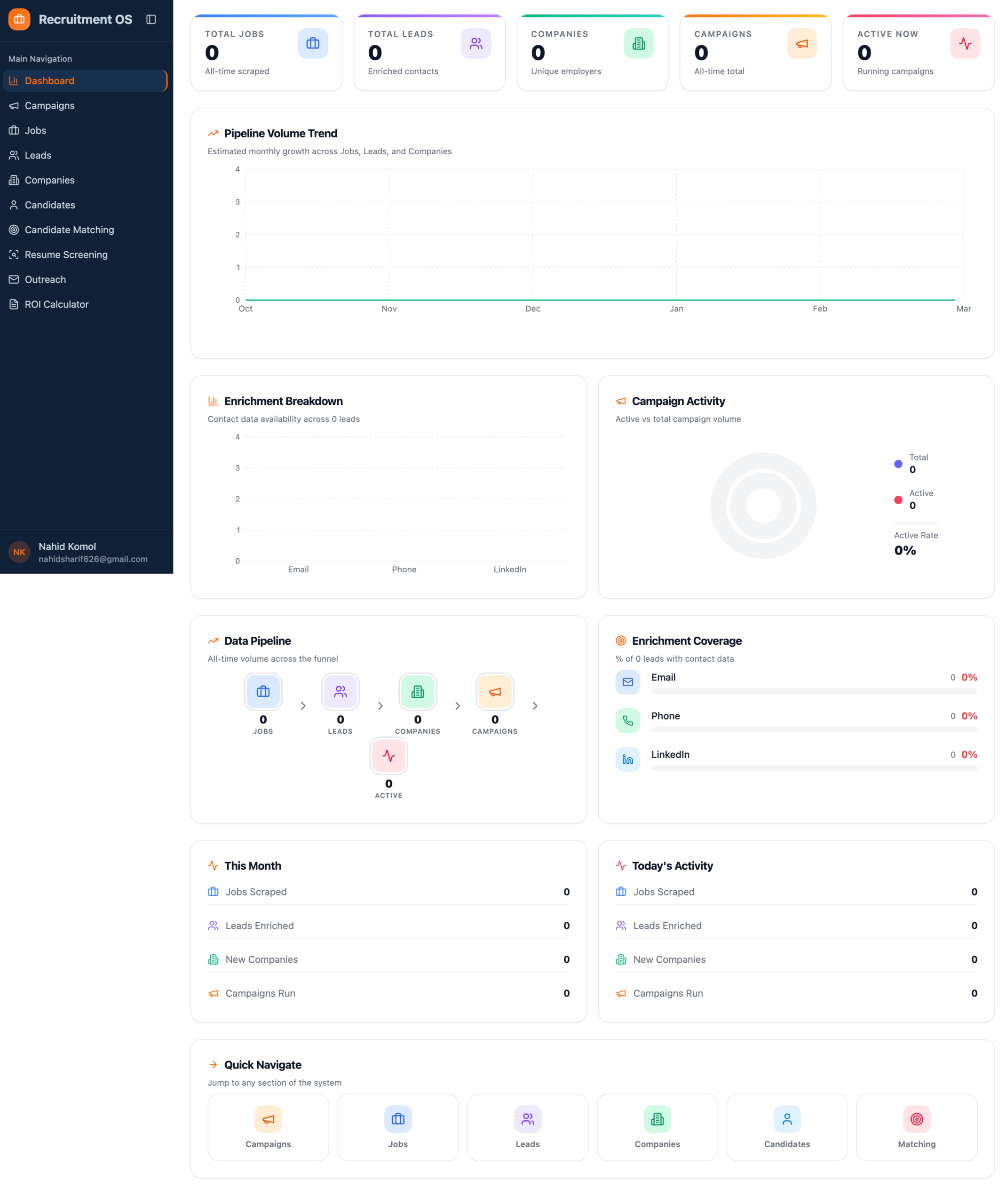
Below the KPI row: a Pipeline Volume Trend chart (Jobs → Leads → Companies → Campaigns → Active), an Enrichment Breakdown bar chart showing contact data availability across leads, and a Campaign Activity donut showing active vs. total volume.
The “This Month” and “Today’s Activity” panels at the bottom give you daily operability without digging into individual records. It is clean. The layout is logical. New users will feel oriented within 60 seconds.
Campaigns, Job Scraping Setup
Campaigns are where the signal engine starts. You create a campaign to scrape companies that are hiring for specific roles; these become your outreach targets.
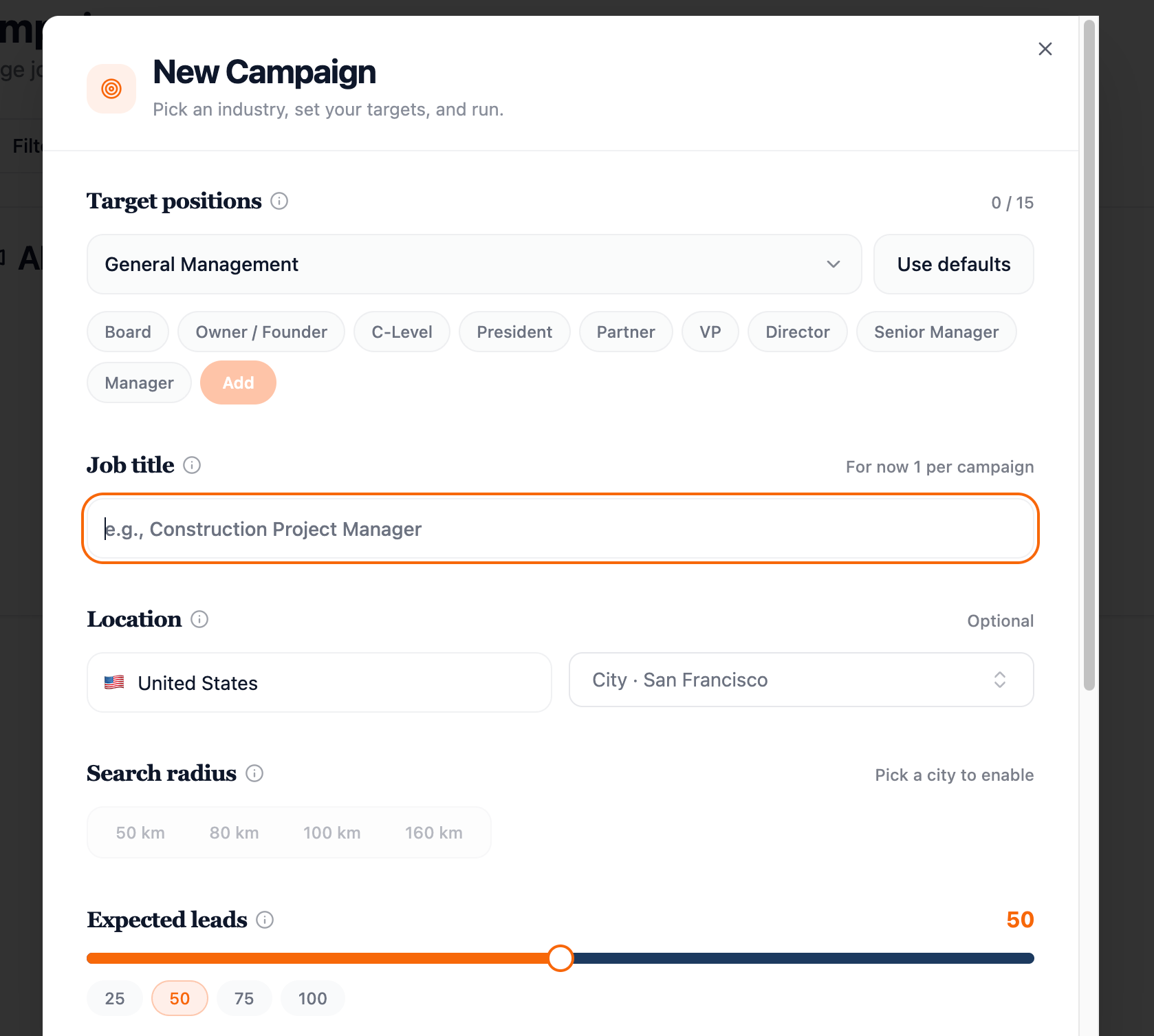
New Campaign setup: pick target positions (Board, Owner/Founder, C-Level, VP, Director), enter a job title, set location and radius, and dial expected leads (25–100).
The position targeting is well thought out. You are not just scraping by keyword; you are filtering by seniority: Board, Owner/Founder, C-Level, President, Partner, VP, Director, Senior Manager, Manager. For a recruitment agency targeting hiring managers, this is the right filter layer.
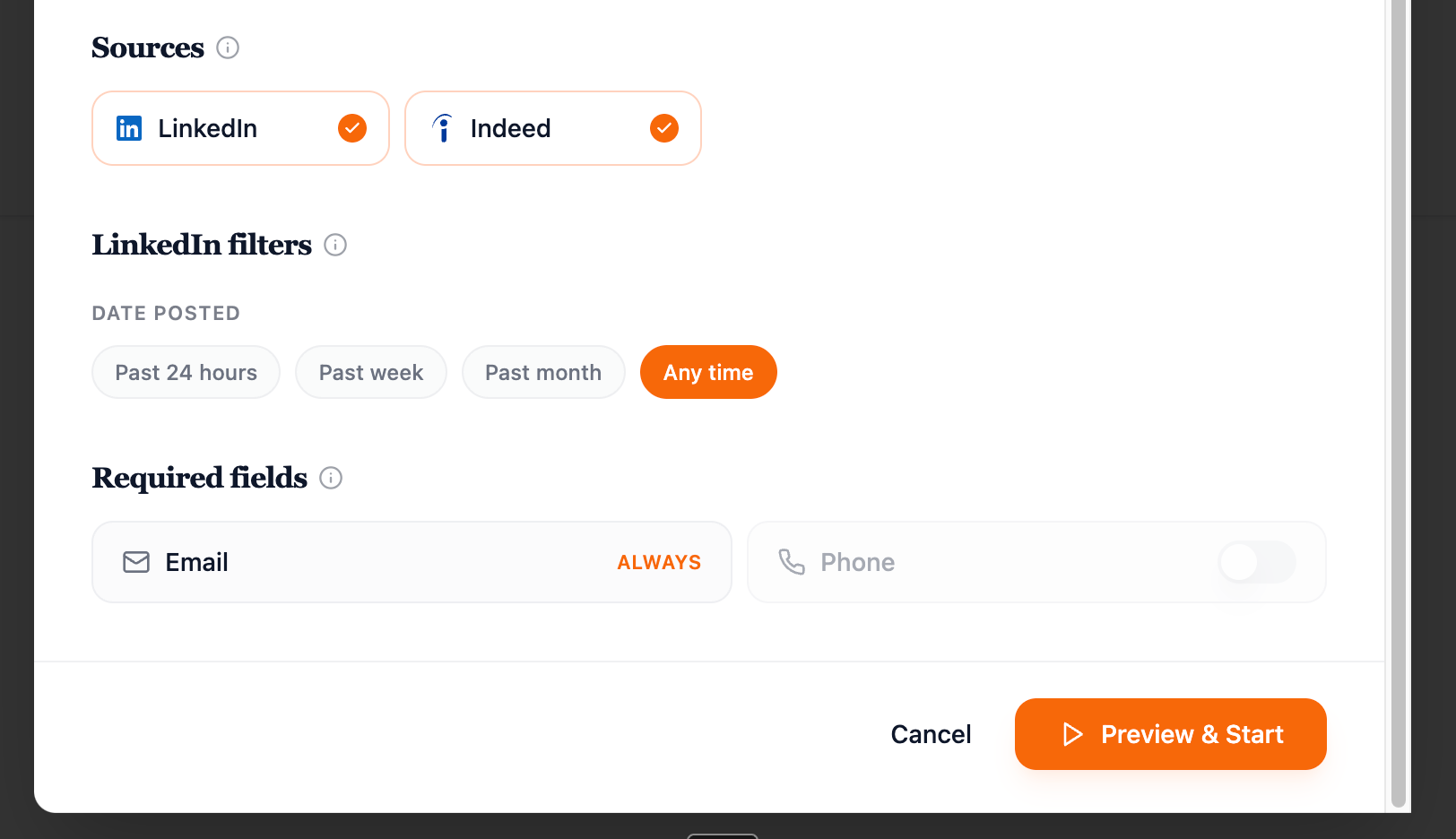
Source selection: LinkedIn and Indeed with date posted filters. Email is always required; phone is optional.
Sources are LinkedIn and Indeed. The date filter (past 24 hours/week/month/any time) controls how fresh the signal is. Email is required on every lead; phone is a toggle. The “Preview & Start” button runs the campaign and begins scraping.
One thing worth flagging: only one job title per campaign right now. If you are targeting multiple roles across a niche, you need separate campaigns. Not a blocker, just something to plan around.
Jobs, Leads, and Enrichment
Once a campaign runs, scraped job listings land in the Jobs module. Each record shows which campaign it came from, which source (LinkedIn or Indeed), and when it was posted.
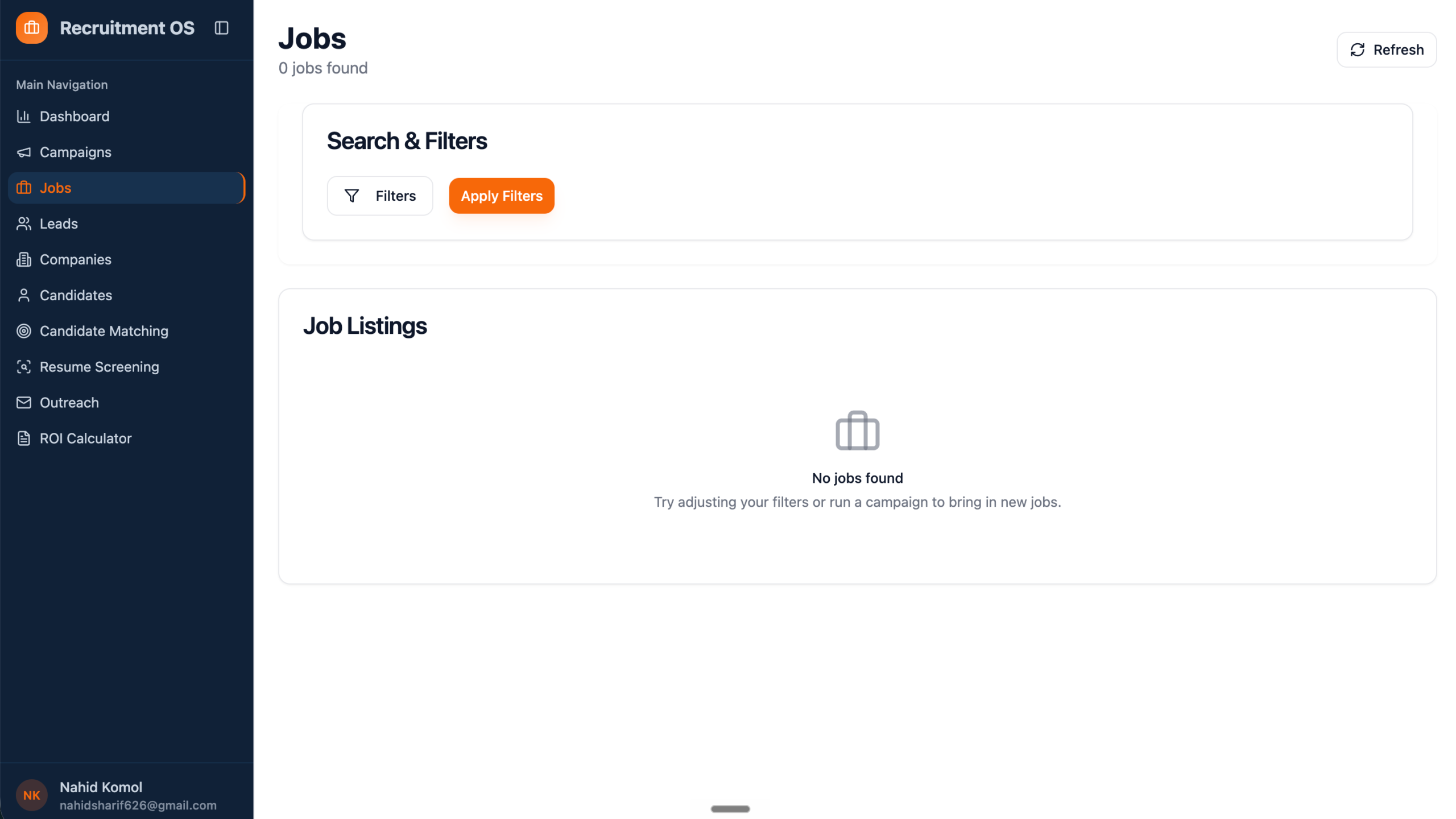
From jobs, the system generates Leads, enriched contacts tied to the hiring companies. The Leads module shows all enriched contacts with an Export Leads button for pushing to your outreach stack.
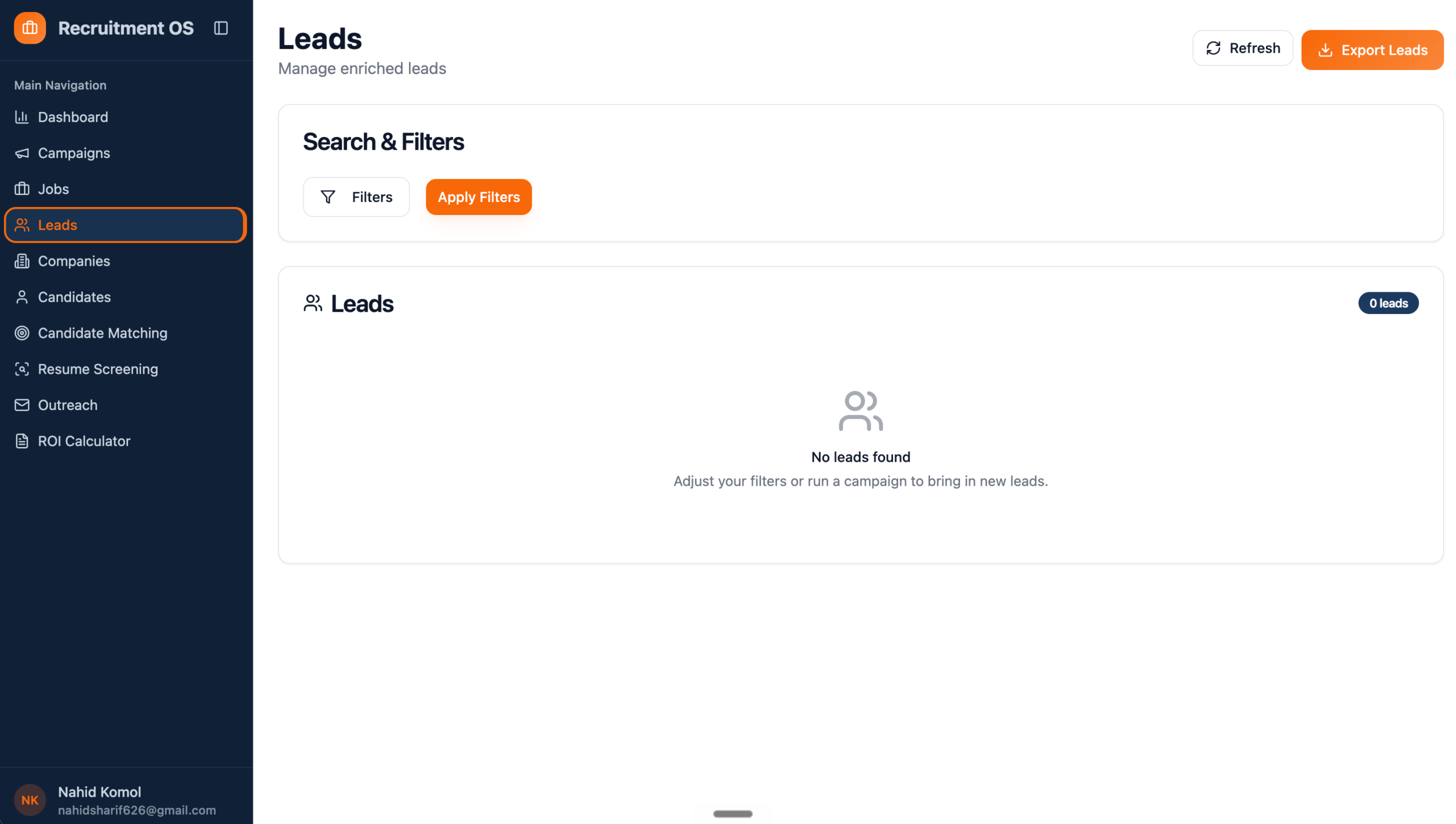
Leads module, manage enriched contacts. Export Leads pushes to CSV or directly to an outreach campaign.
Enrichment runs across three providers: Lusha, Apollo, and Hunter. You configure which providers to use and how many leads each handles, the system distributes automatically based on cost efficiency, or you override manually.
At weDevs, running multi-source enrichment across tools always meant managing separate accounts and manually reconciling data. RecruitmentOS consolidates that into one configuration screen. For a boutique agency with no ops person, that is meaningful time saved.
Candidate Management and AI Matching
This is where RecruitmentOS goes beyond a BD tool. Most outbound platforms stop at lead generation. This one includes a full candidate side of the business.
You can add candidates manually (4-tab form: Basic, Professional, Preferences, Resume) or upload resumes in bulk; the platform parses them automatically and adds candidates to the database.
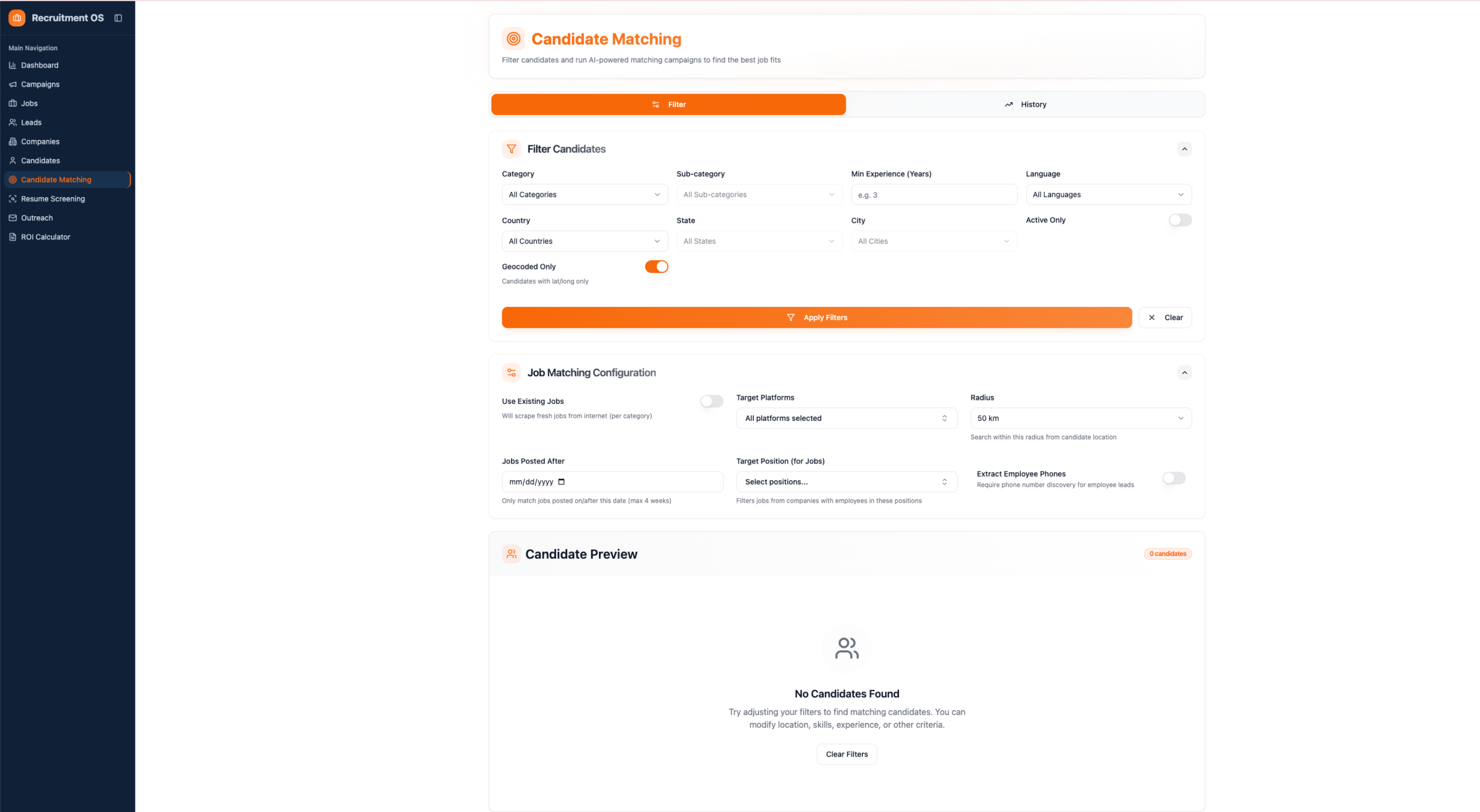
Candidate Matching: filter candidates by experience, location, and category, then configure job matching parameters: platform, radius, date range, and target position.
The Candidate Matching module uses AI to connect candidates to scraped jobs. You filter your candidate pool, set the matching configuration (which platforms to pull jobs from, search radius, jobs posted after a specific date, target position), and the system runs the match.
There is an embedding vector field in the candidate profile; the platform generates a vector representation of each candidate’s experience for AI-powered semantic matching. That is not a feature you see in most recruitment tools at this price tier.
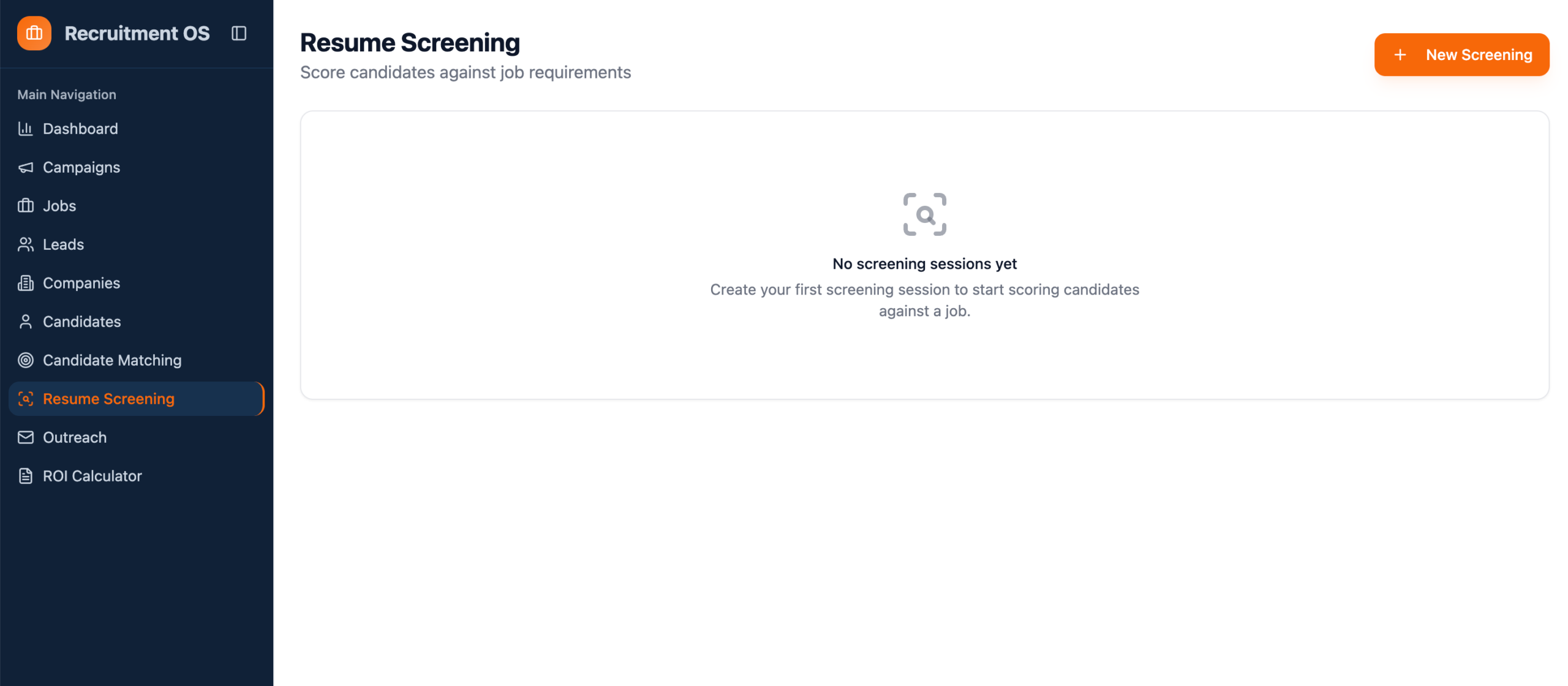
Resume Screening lets you score candidates against job requirements in named sessions. You are not just matching; you are ranking. For an agency that handles both BD and delivery, this closes the loop between sourcing a new client and having candidates ready to present. The same AI-driven workflow thinking applies here: systematic inputs produce predictable, scalable outputs.
Outreach via SmartLead
The Outreach module handles email campaigns. It runs on SmartLead, not Instantly or Lemlist as listed in some of the product documentation I reviewed. Worth knowing if you are comparing stacks.
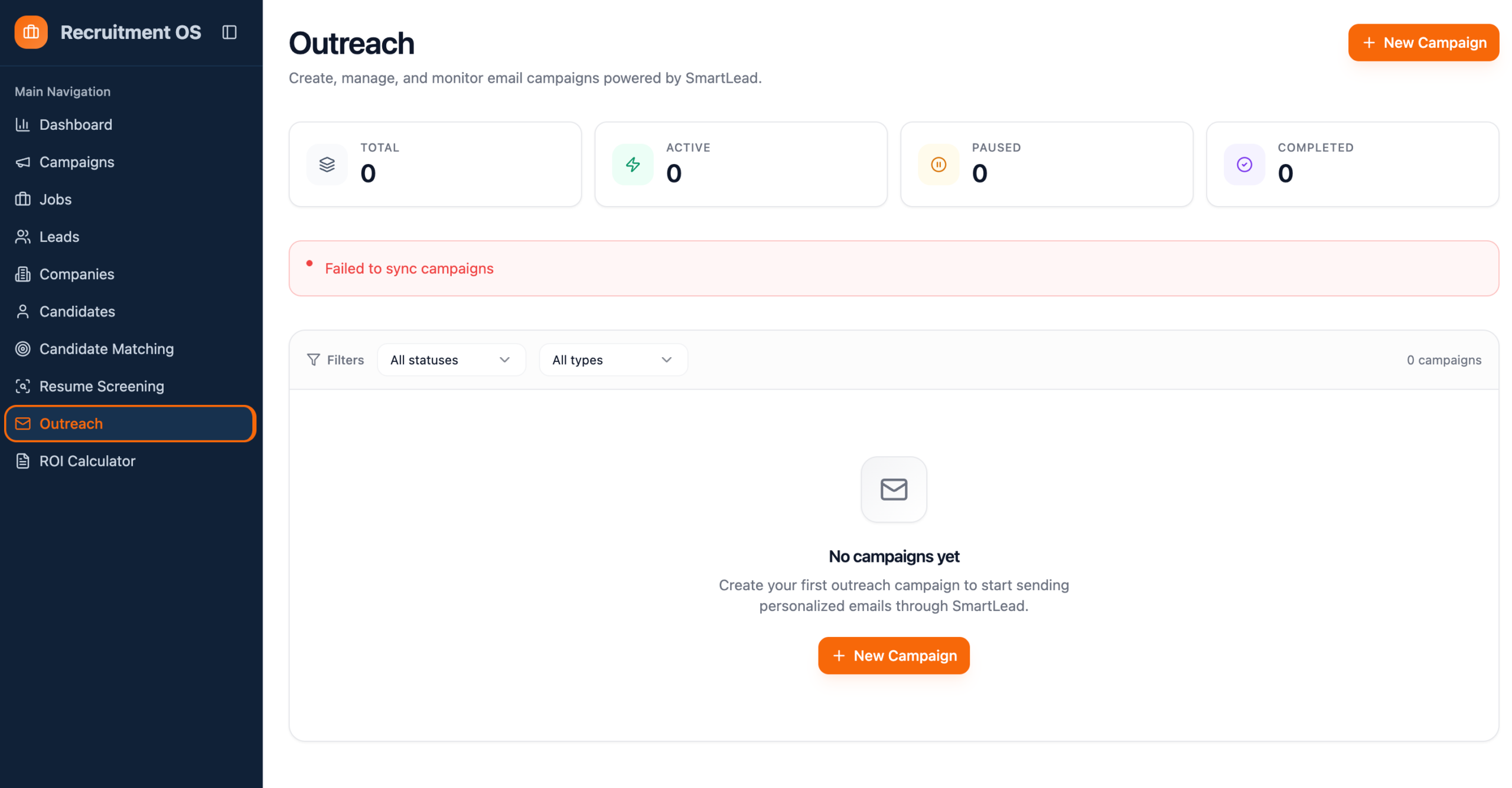
Outreach hub, powered by SmartLead. Campaign stats (Total, Active, Paused, Completed) plus the campaign creation flow.
Creating an outreach campaign is clean. You name it, pick a lead source (C2C, pulling leads from a scraping campaign, or CSV upload), connect email accounts, set timezone and active days, configure a send window (9 AM to 5 PM default), and set pacing limits: minimum gap between emails and maximum new leads per day.
The pacing controls are smart. Most tools let you blast volume; this one lets you throttle for deliverability. A 5-minute minimum gap between sends from the same account is a sane default. Getting the psychology of outreach right matters as much as the tooling — volume without relevance burns your domain.
ROI Calculator: The Standout Feature
This is the module I did not expect. Most tools have a pricing page. RecruitmentOS built a full cost modelling tool directly into the platform.
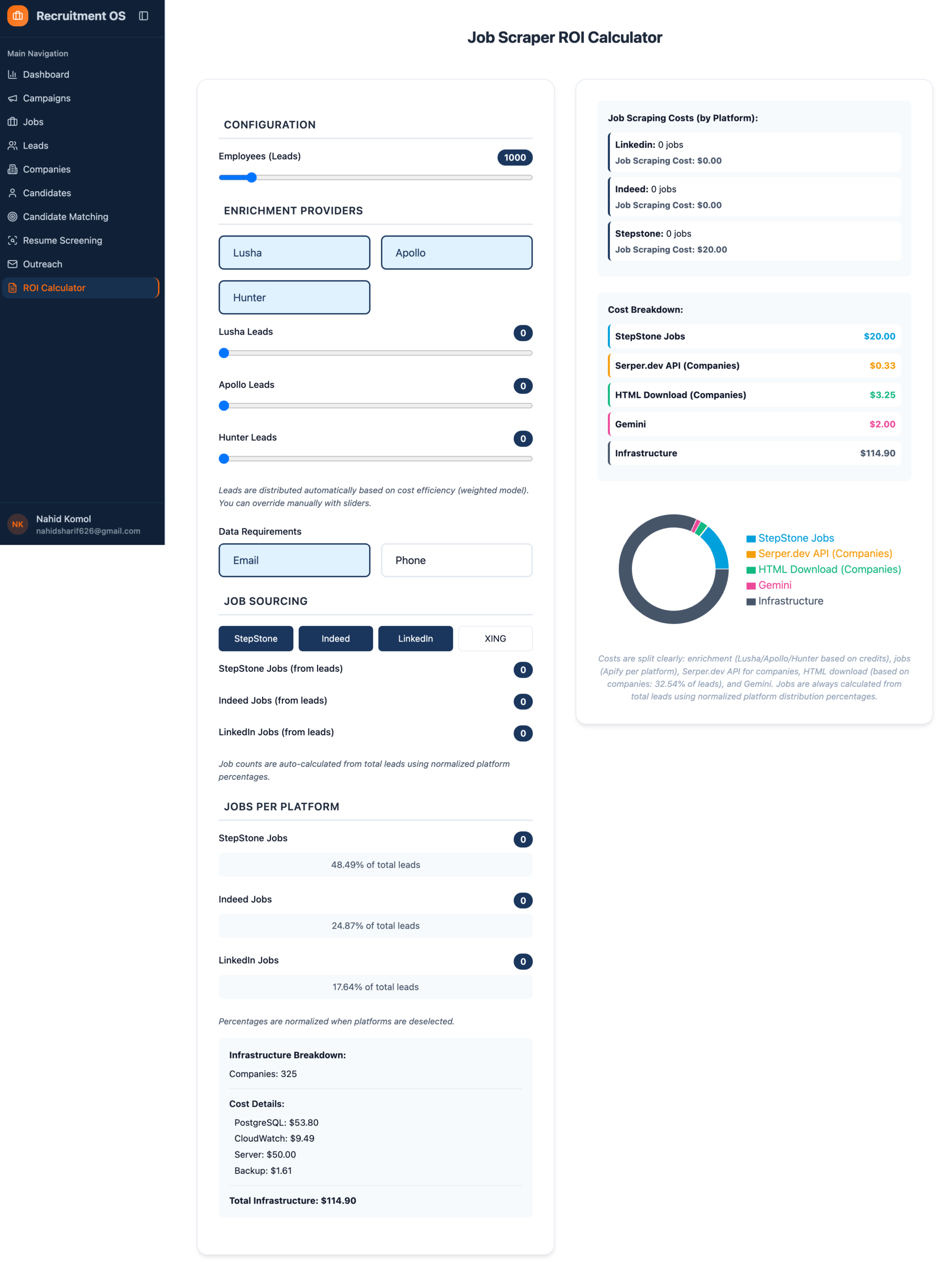
ROI Calculator, configure leads volume, enrichment providers (Lusha, Apollo, Hunter), job sources (StepStone, Indeed, LinkedIn, XING), and see a live cost breakdown with infrastructure costs itemised.
You configure: number of leads (slider), which enrichment providers to use and how many leads each handles, which job platforms to pull from (StepStone, Indeed, LinkedIn, XING), and whether you require email, phone, or both. The right panel updates in real time with a full cost breakdown per service.
The infrastructure line item is unusually honest — it breaks out PostgreSQL, CloudWatch, server, and backup costs separately. You can see exactly what it costs to run 1,000 leads through Lusha + LinkedIn + StepStone before you commit to a client.
This is a sales tool disguised as a configuration screen. On a fit call, walking a prospect through their specific numbers, “here is what it costs to build your pipeline at your volume”, is a faster close than any deck. That is exactly the kind of growth lever most agencies are not using.
One note: XING as a job source signals that the platform is built with the DACH market (Germany, Austria, Switzerland) in scope. That is not surfaced on the landing page. If you are a UK or Australian agency, ignore XING, it will not surface relevant signals for you.
Verdict: Who It Is For
After going through every module, here is the honest read.
| Feature | Works Well | Needs Attention |
|---|---|---|
| Campaign setup | Clean, position-aware targeting | One job title per campaign only |
| Enrichment | Multi-provider, cost-weighted | Depends on pre-purchased provider credits |
| AI candidate matching | Embedding-based, genuinely useful | Empty state with no guidance for new users |
| Outreach (SmartLead) | Pacing controls, C2C lead source | Requires pre-configured SmartLead account |
| ROI Calculator | Best feature in the platform | XING/DACH scope not communicated externally |
| Dashboard | Clean pipeline visibility | No onboarding flow for self-serve users |
- You run a 5–30 person recruitment agency
- You have a defined niche or vertical
- You’ve tried LinkedIn Sales Nav and hit the reply-rate wall
- You want pipeline without adding headcount
- You’re open to a managed service model
- You’re a generalist agency with no defined ICP
- You want a self-serve tool with zero onboarding
- You need immediate pipeline with no setup period
- You’re targeting roles outside LinkedIn/Indeed/XING
RecruitmentOS stands out from most outreach tools in this space. The signal-first approach is real. It shows up in the product design, not just the marketing copy. The ROI calculator alone is worth a look if you run a niche recruitment agency and want to see what building a proper pipeline actually costs.
The honest caveat: this is an early-stage platform. The empty states and SmartLead sync friction are signs of a product still being refined. If you need something fully polished out of the box, it is not there yet.
If you are willing to work with a team that is building something pointed, the foundation is solid. Understanding your GTM fundamentals still matters; no tool replaces positioning clarity and a defined ICP.
Interested in using RecruitmentOS for your agency?
I have tested this platform and can walk you through whether it fits your agency’s pipeline model. Book a 30-minute call.
Book a 30-Min Call →
Nahid Komol
Nahid Komol is a product marketer and GTM strategist specializing in WordPress, SaaS, and AI-integrated growth (AEO, AIO, GEO). With 10+ years of hands-on experience at brands like FunnelKit, FlyWP, and weDevs, he brings deep expertise in content strategy, product positioning, user acquisition, and full-funnel marketing.He's led campaigns generating $100K in sales, grown organic traffic by 70%, and ranked 500+ articles on Google, and is now building AI agent workflows that automate core marketing operations at scale.When he's not crafting strategies or engineering prompt systems, you'll find him exploring sci-fi, composing music, or capturing the quiet poetry of nature through his lens.
Comments are closed